





 HarmonyOS开发|ArkTS UI颜色API通用规则

Portal 认证也叫做网页认证。当用户接入网络时,使用浏览器访问网址会自动跳转到特定的认证页面上,用户需要在这个网页上输入凭据(如账号密码、短信验证码等)完成认证。部署 Portal 认证通常需要两个核心组件:Portal 服务器 和 radius 服务器(两者可以合并部署)。用户打开认证页面主要有两种方式:
- 主动认证:用户连接网络后,自己手动输入 Portal 认证网址进行访问。
- 重定向认证:用户打开业务网站时,自动跳转到 Portal 认证网站。
从配置逻辑来看,Portal 认证主要分为两个步骤:
① 怎么让用户访问到 Portal 认证网页;
② 怎么让用户的账号密码认证请求发送到 radius 服务器。以下是基于华为设备的详细配置解析。
一、配置用户访问 Portal 认证网页
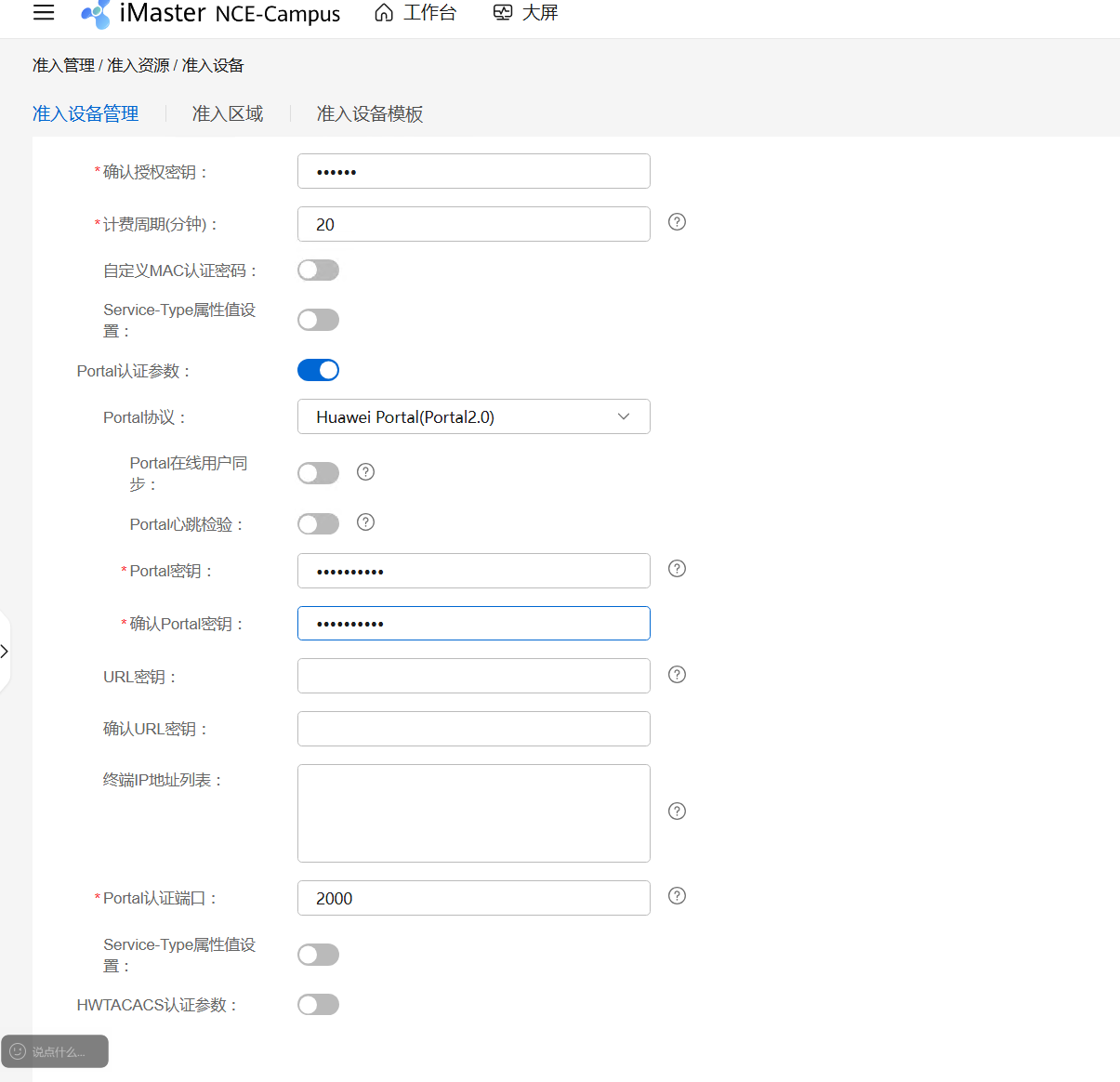
1. 创建 URL 模板
在有线 Portal 认证中,必须携带 device 的 IP,即交换机和 Portal 服务器对接的接口 IP(交换机侧)。因为用户不知道交换机 IP 是多少,所以必须手工配置。
[HUAWEI]url-template name hcie #创建url模板
[HUAWEI-url-template-hcie]url https://172.22.8.72:19008/portal
[HUAWEI-url-template-hcie]url-parameter device-ip(参数名) ac-ip(参数值) redirect-url redirect-url user-ipaddress uaddress
[HUAWEI-url-template-hcie]url-parameter set device-ip 192.168.100.1
2. 配置 Portal 服务器模板
指定 Portal 服务器的 IP 地址、对接密钥,以及认证点使用哪个源 IP 与 Portal 服务器对接。
[HUAWEI]web-auth-server hcie
#创建portal服务器模板
[HUAWEI-web-auth-server-hcie]server-ip 172.22.8.72
#指定portal服务器的ip地址
[HUAWEI-web-auth-server-hcie]shared-key cipher Huawei@123
#配置和portal服务器对接的密钥
[HUAWEI-web-auth-server-hcie]server-source ip-address 192.168.100.1
#配置认证点使用哪个ip和portal服务器对接
[HUAWEI-web-auth-server-hcie]url http://172.22.8.72:19008/portal
#配置url,用户就是访问这个来打开portal的网页
注意:如果 Portal 服务器使用的是 agile controller,直接配置 URL 是没有问题的。但本例使用的是 nce-campus,出于安全性考虑,不能使用 HTTP,必须是 HTTPS。并且使用 nce-campus 作为 Portal 服务器时,不能直接在 Portal 服务器模板内配置 URL,必须使用 url-template 来进行配置并在模板中绑定。
3. 配置 Portal 接入模板并调用
创建 Portal 接入模板并调用 Portal 服务器模板,然后将 Portal 接入模板调用在认证模板中,最后将认证模板调用在连接用户的接口上。
[HUAWEI]portal-access-profile name hcie
#创建portal接入模板
[HUAWEI-portal-acces-profile-hcie]web-auth-server hcie direct
#将portal服务器模板调用portal接入模板
[HUAWEI]authentication-profile name hcie
[HUAWEI-authen-profile-hcie]portal-access-profile hcie
[HUAWEI-GigabitEthernet0/0/1]authentication-profile hcie
4. 修改认证模式
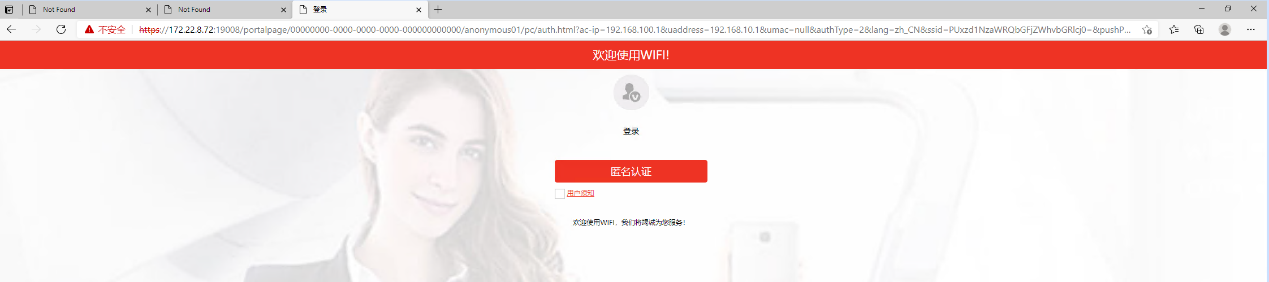
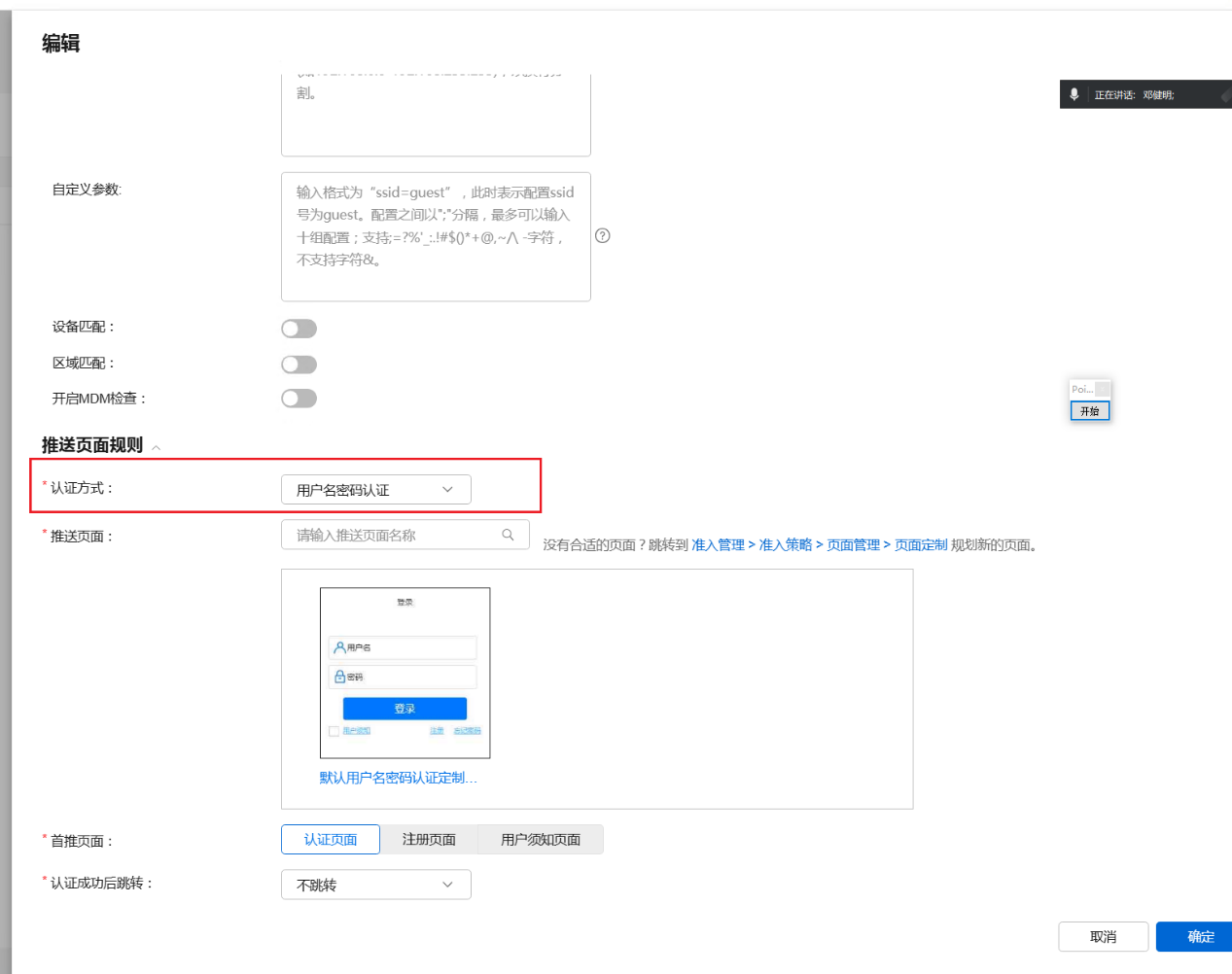
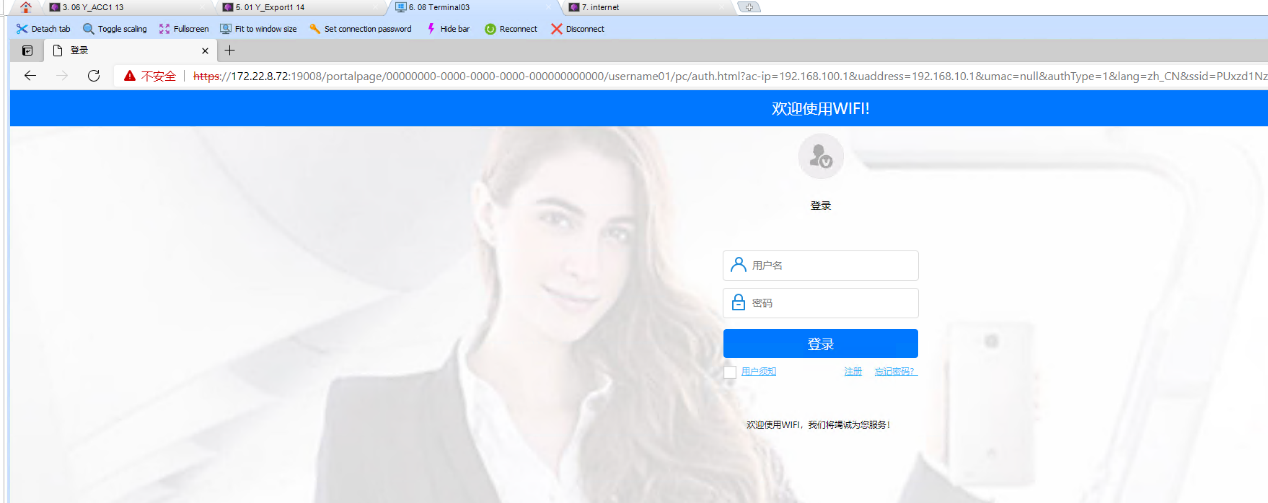
在 NCE-Campus 系统的准入管理中,Portal 认证默认是匿名认证模式,在这里我们需要在页面上将其修改为账号密码模式。
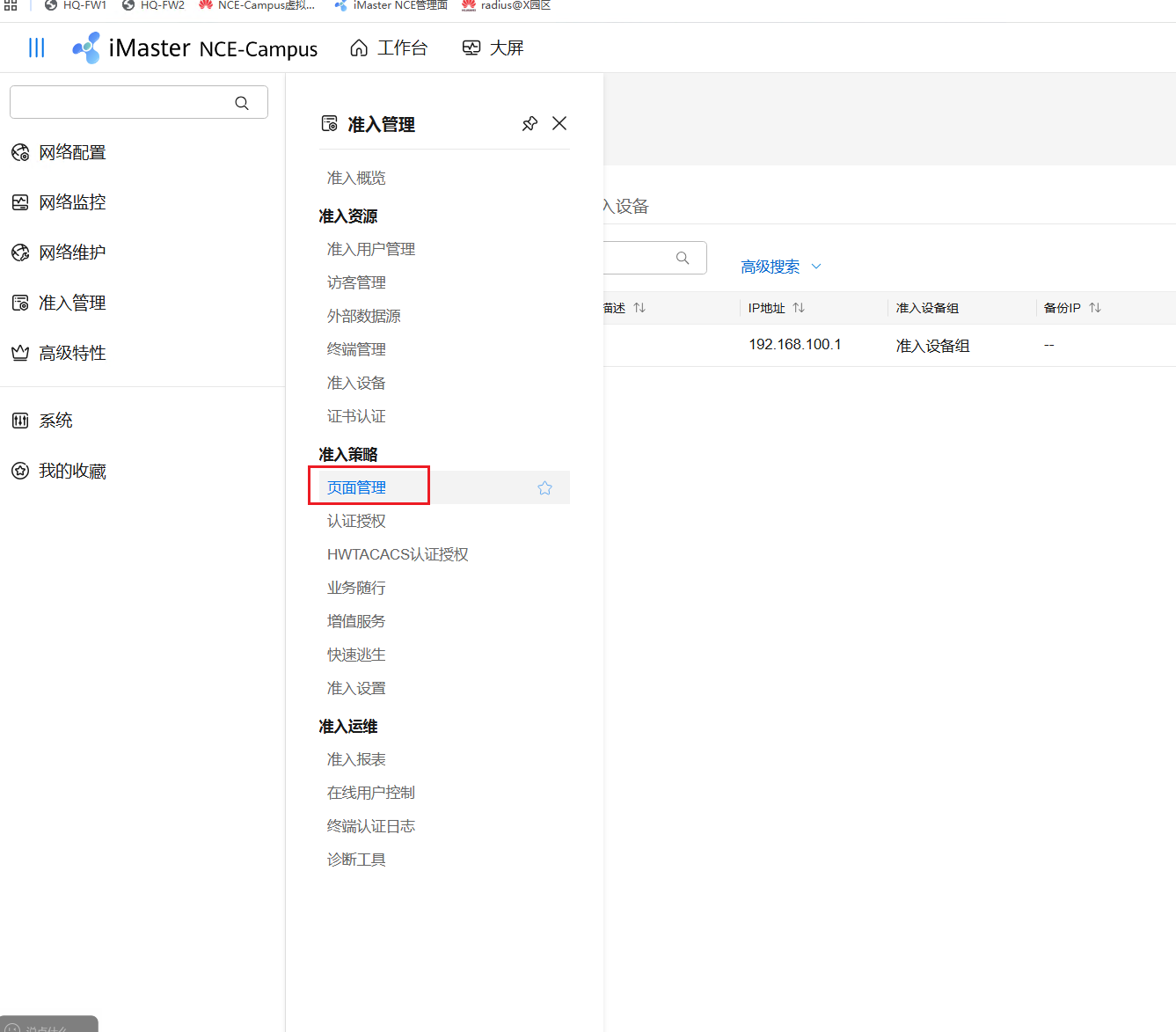
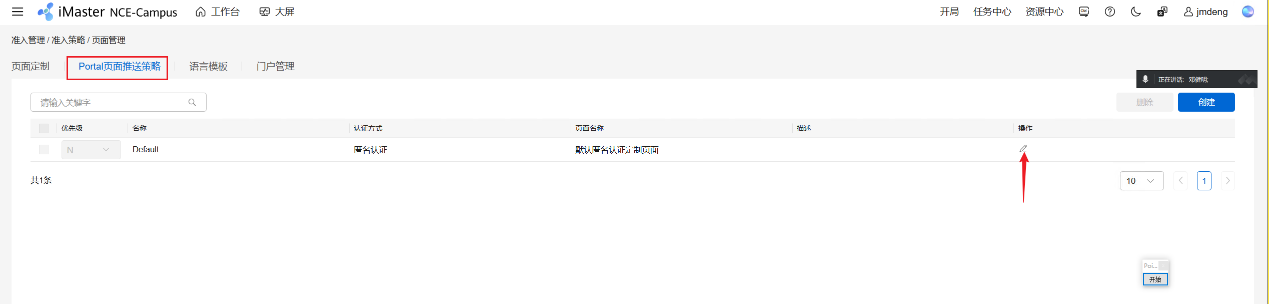
二、配置 radius 服务器与 AAA
1. 配置 radius 服务器模板
radius-server template hcie
radius-server shared-key cipher %^%#x5@L,/_YB0K@IG$BbdZ+^MV6H#b<nD{;Vt5Hh~`F%^%#
radius-server authentication 172.22.8.72 1812 weight 80
radius-server accounting 172.22.8.72 1813 weight 80
radius-server authorization 172.22.8.72 shared-key cipher %^%#r@nFP$R[^B.>7Y$\Z6GCygIEO$/2:N.er;WB~,J4%^%#
2. 配置 AAA 认证与计费方案
aaa
authentication-scheme portal_auth
authentication-mode radius
accounting-scheme portal_auth
accounting-mode radius
domain default
authentication-scheme portal_auth
accounting-scheme portal_auth
radius-server hcie
#
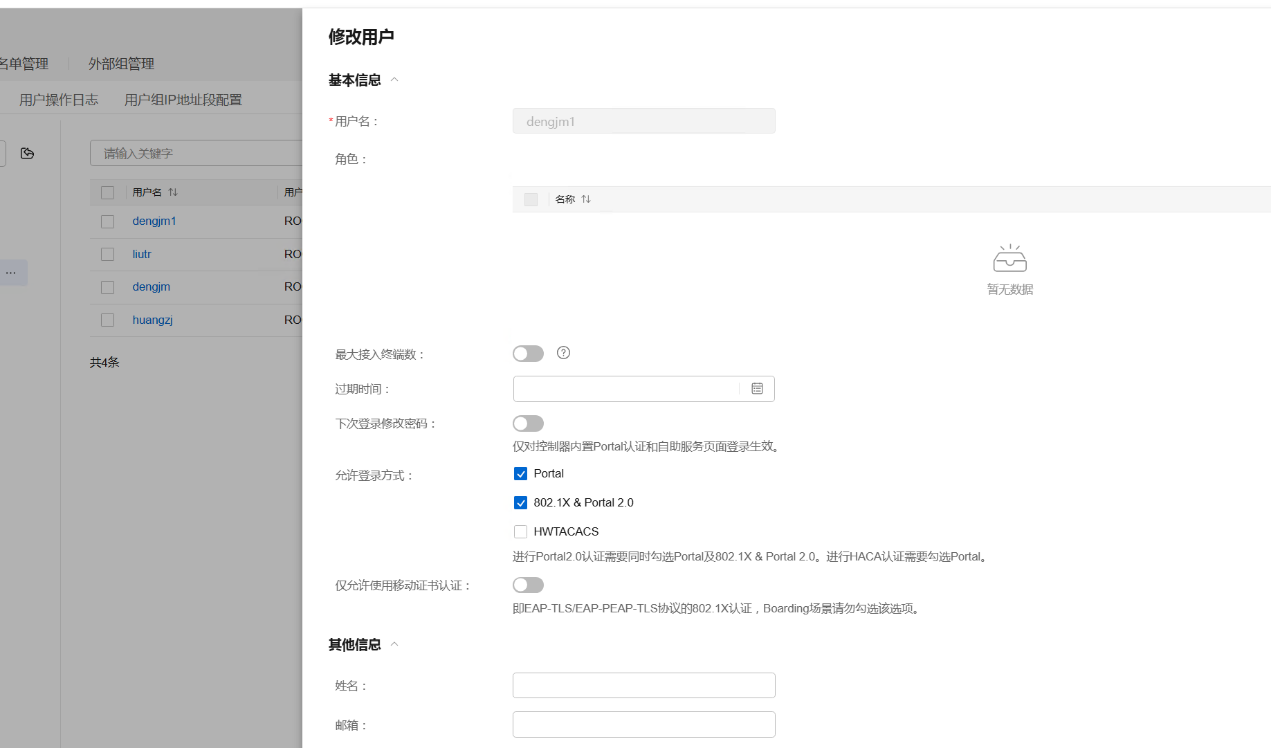
注意:在使用账号密码认证模式的 Portal 认证时,在 NCE-Campus 上创建账号必须同时开启 Portal 和 Portal 2.0&802.1x 授权。
三、配置免认证规则
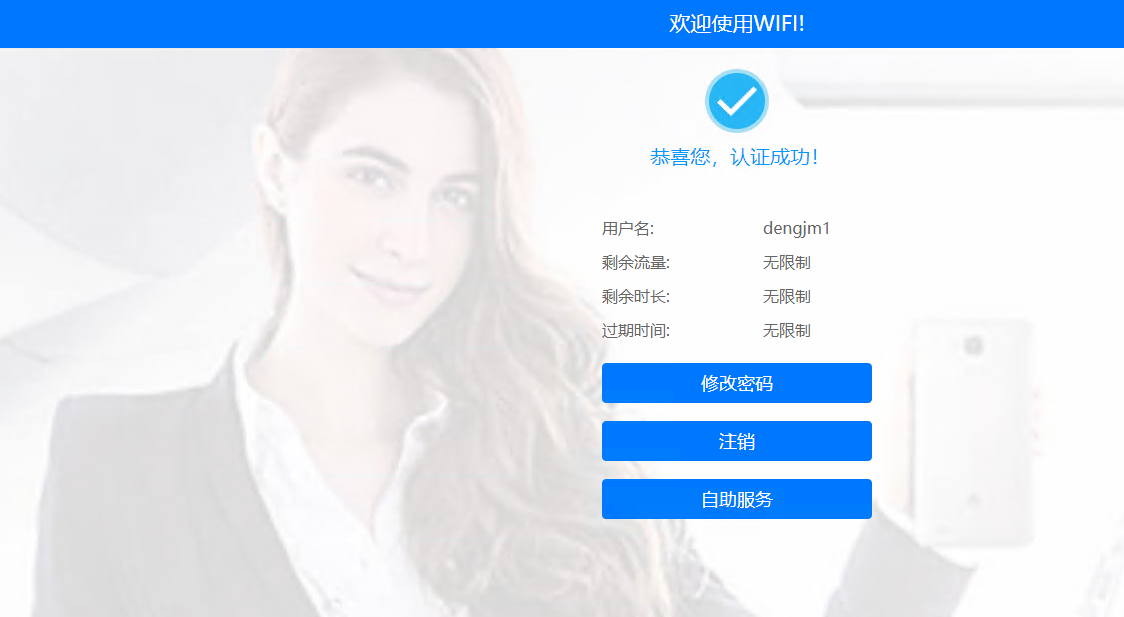
一般来说,Portal 服务器的访问地址基本上会通过域名来访问。问题在于,用户在没有认证的情况下,如何去找 DNS 服务器呢?使用 NCE-Campus 作为 Portal 服务器时,默认 Portal 服务器的 IP 地址是放行的。此外,可以通过配置免认证规则来放行服务器 IP:
[HUAWEI]free-rule-template name default_free_rule #进入免认证规则
free-rule 10 destination ip 172.22.8.73 mask 255.255.255.255
free-rule 20 destination ip 172.22.8.71 mask 255.255.255.255
#